Step by step
How to open a dōTERRA wholesale account
Start with your country of residence. That choice determines the official form, available products and currency. This guide shows examples from three enrollment systems, with a separate section for eligible Global Access countries.
Before you open the form
Your country of residence
Use the market where you live, even if you read this guide in English. A different currency or warehouse is a reason to check the country again.
A short shopping list
Decide which products you want before choosing a kit. Check the enrollment fee separately; a kit or a qualifying first order can waive it on some markets.
Your own account details
Have your email, phone and delivery address ready. Enter personal and payment details only on the official enrollment site, never in a message to us.
Our advice: keep this guide open in a second tab. The screenshots show where to look, rather than guaranteeing an identical screen. We do not enroll residents of mainland China or provide alternative routes for them.
Enrollment form examples
Choosing a country above selects the matching guide. Screenshots are examples; products, prices and payment options can change. You can also switch guides manually.
Country and language
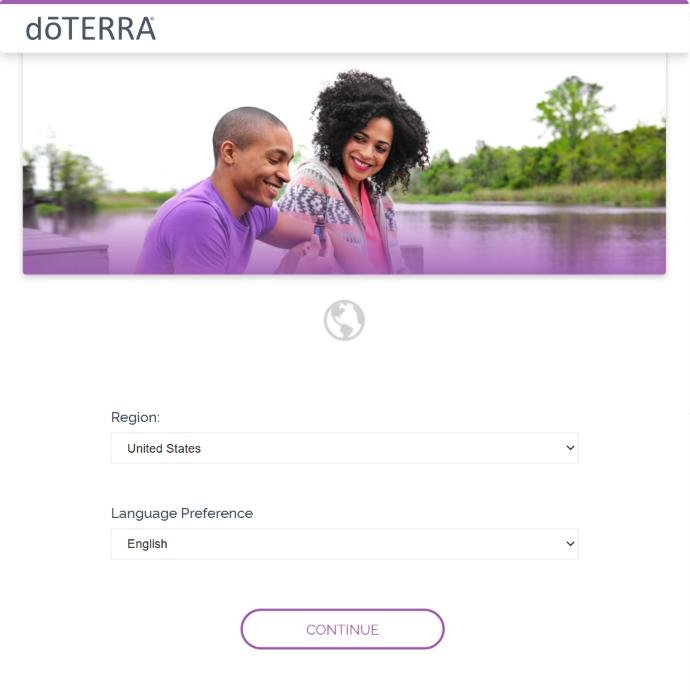
Choose United States or Canada in the selector above, then open the official form. Our Enroller ID 10452588 is included in the link. Check the region and language before continuing; the US screenshots below are examples, and Canadian products and prices differ.
Accept the terms
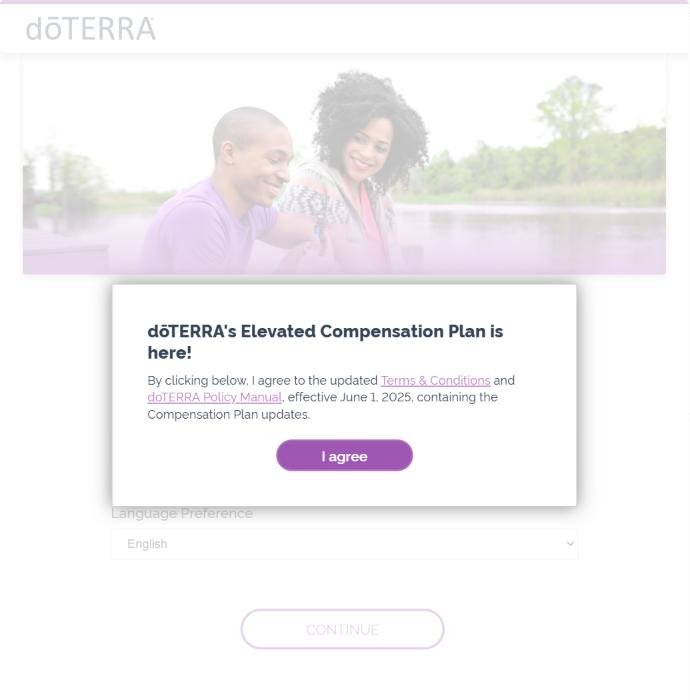
A small window asks you to accept dōTERRA's Terms & Conditions and Policy Manual. Read the terms for your country and, if you accept them, press “I agree”.
Choose how to start
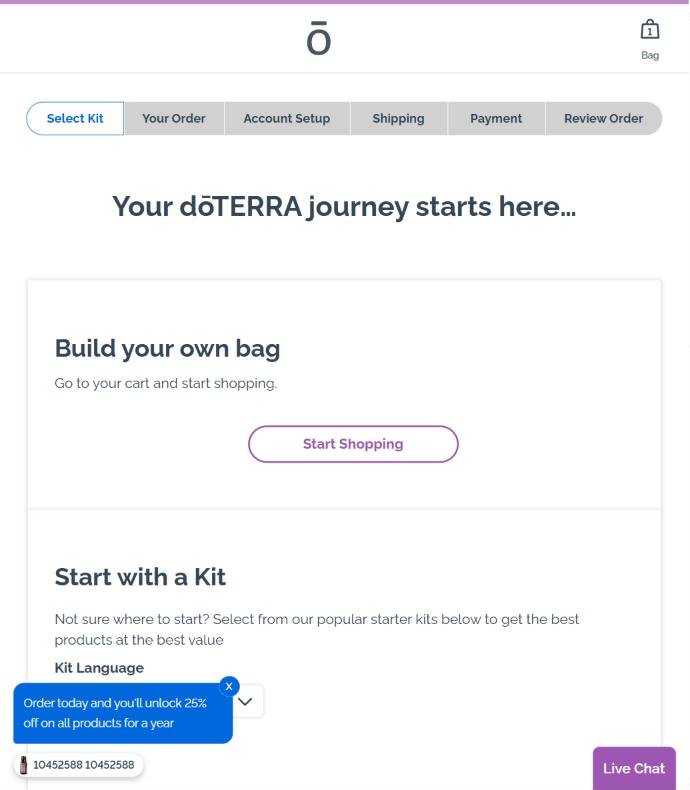
The US example shows Select Kit → Your Order → Account Setup → Shipping → Payment → Review. You can choose a kit or build your own bag. Check the referral details for ID 10452588 rather than relying on a fixed position on the screen.
Pick a kit (or skip it)
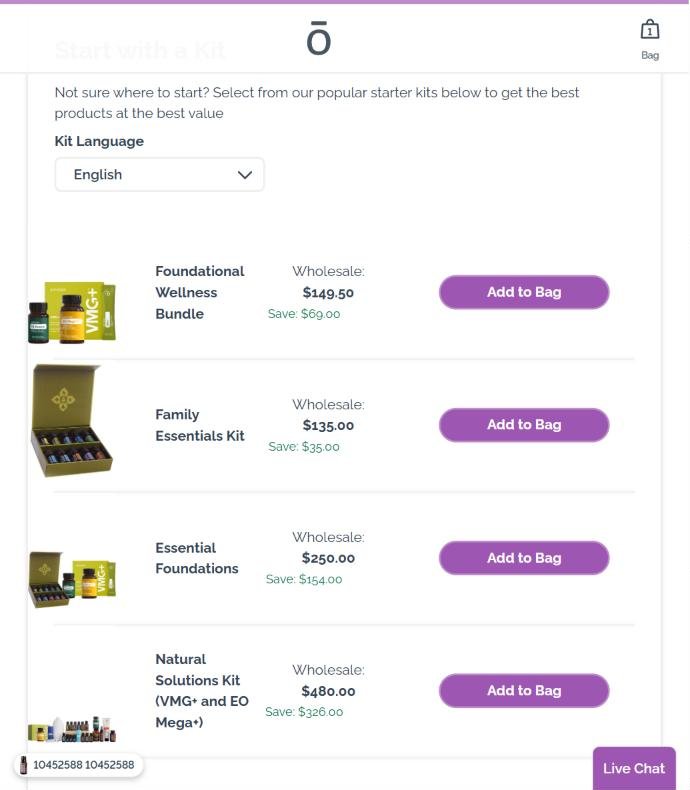
Compare the kit contents with your shopping list, or use “Start Shopping” to choose products. US membership is currently free with the first purchase; Canadian enrollment through a Wellness Advocate link also waives the fee. Check the order summary instead of assuming a fee will be added.
Account setup
Enter your own contact details and choose the account offered for personal purchasing. Wholesale Customer is the discount account; Wellness Advocate includes the business option. Read the market-specific terms before accepting them, and check the referral card before submitting.
Shipping and payment
Choose from the delivery and payment methods offered for your country. Before authorizing payment, check the products, quantities, tax, shipping, total and delivery address. Keep the confirmation email and member number for future sign-in.
Before paying, check that the referral or enroller ID is 10452588. If dōTERRA requires payment to complete enrollment, wait for confirmation before signing in to your new account.
Country and language
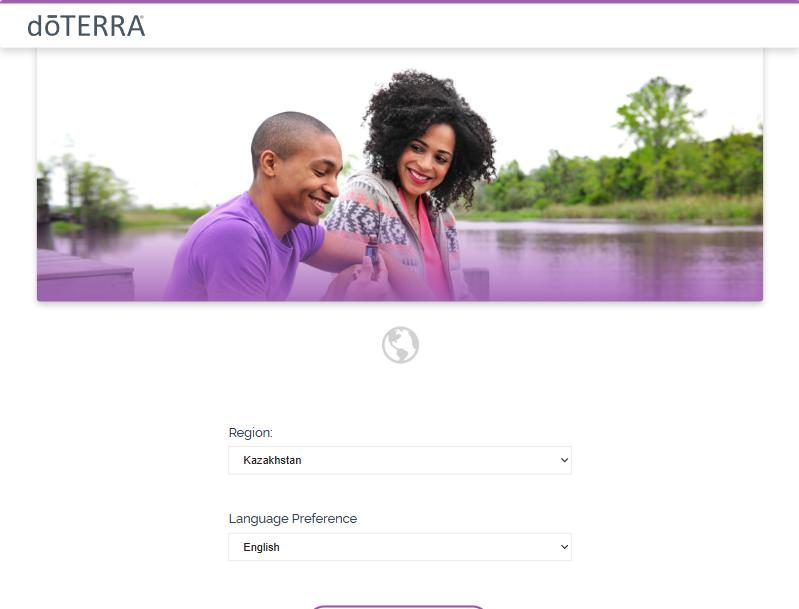
Choose your country above and open its official form with Enroller ID 10452588 in the link. The screenshots illustrate Kazakhstan; languages, warehouses and required fields differ elsewhere. In Israel, check whether you want the local OTG warehouse in shekels or the European NFR route in euros.
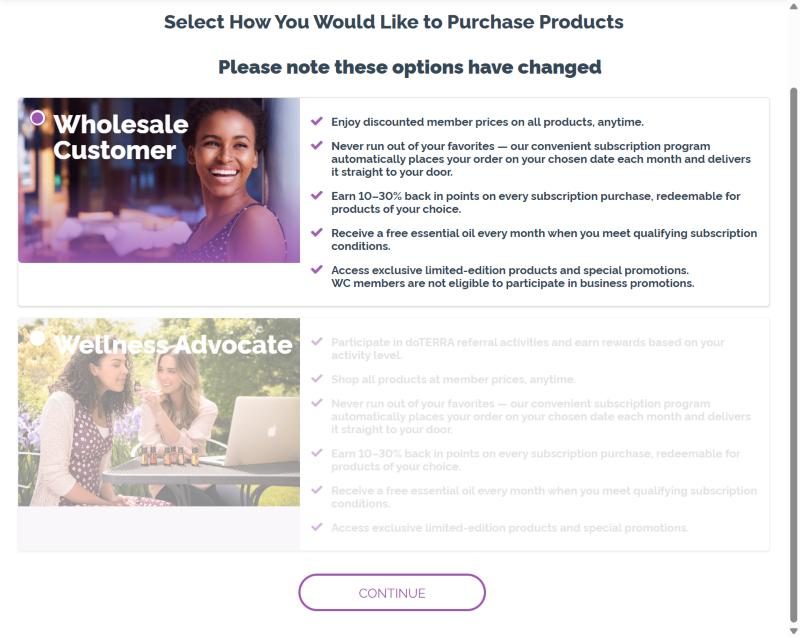
Choose “Wholesale Customer”
Two options are shown. Wholesale Customer is the account for the 25% discount; Wellness Advocate is the business account. Make sure the round marker is on Wholesale Customer and click Continue.
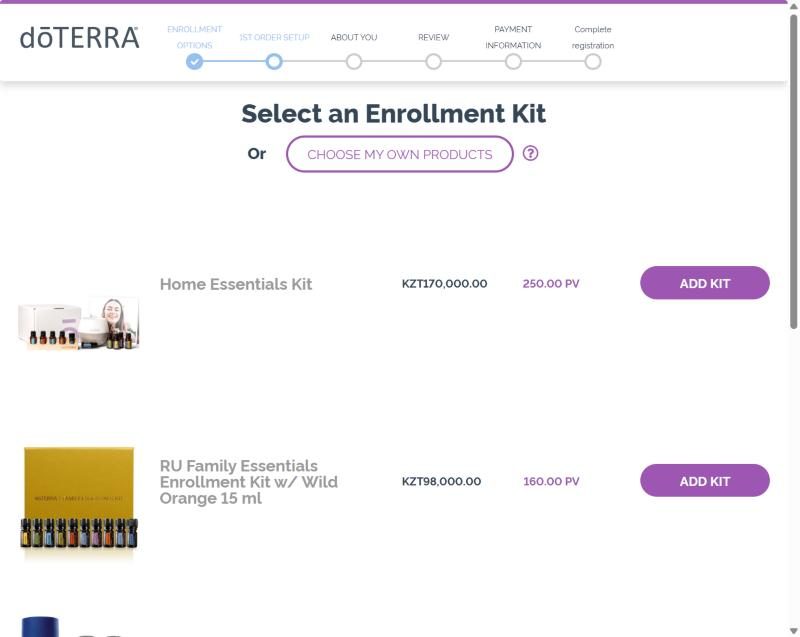
Pick a kit — or just the enrollment fee
Kits are listed in local currency (the screenshot shows Kazakhstan, in tenge). The kit already includes the enrollment fee. If you want to choose products yourself, add the “Enrollment Fee” item instead and use “Choose my own products”. Israel: the same kits come with Hebrew, English or Russian materials at the same price — Home Essentials ₪1,277.75, Family Essentials + MetaPWR ₪705.90, membership only ₪103.50. UAE: Home Essentials AED 1,275 (with a Pebble diffuser), Family Essentials AED 675, fee only AED 130.
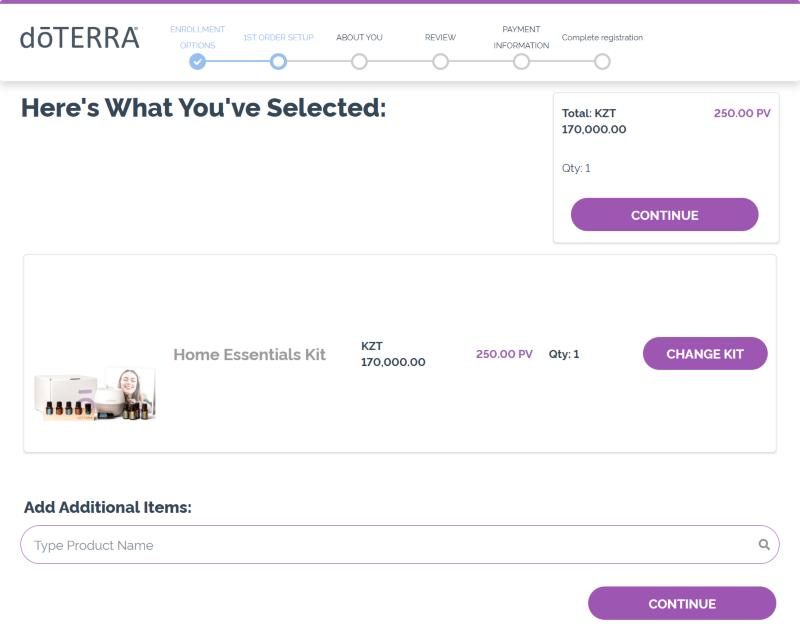
Check the cart
Your kit appears with the total. Below it you can search and add any extra products at the wholesale price. Click Continue.
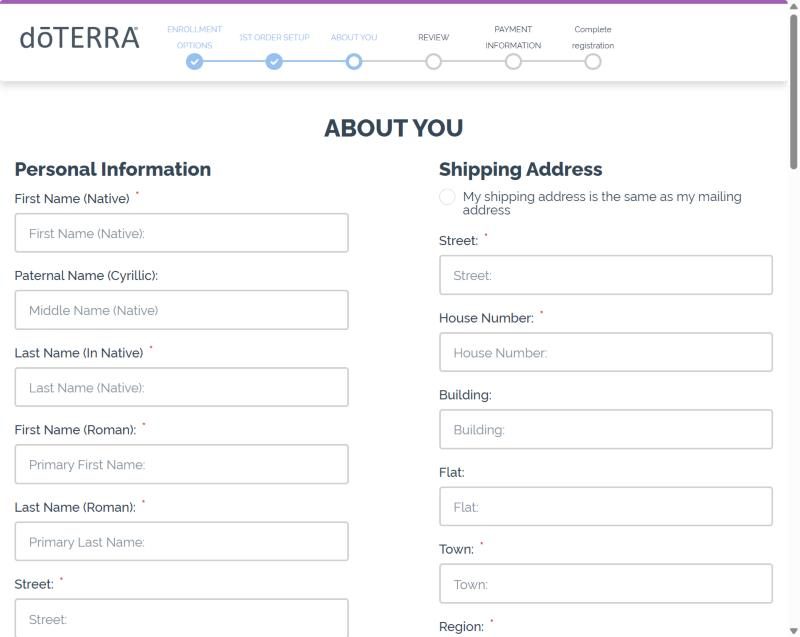
About you
Enter your own name, contact details and delivery address in the format required by your market. The example is Kazakhstan and must not be treated as a list of required or optional identity fields for other countries. If a field is unclear, stop and ask for help.
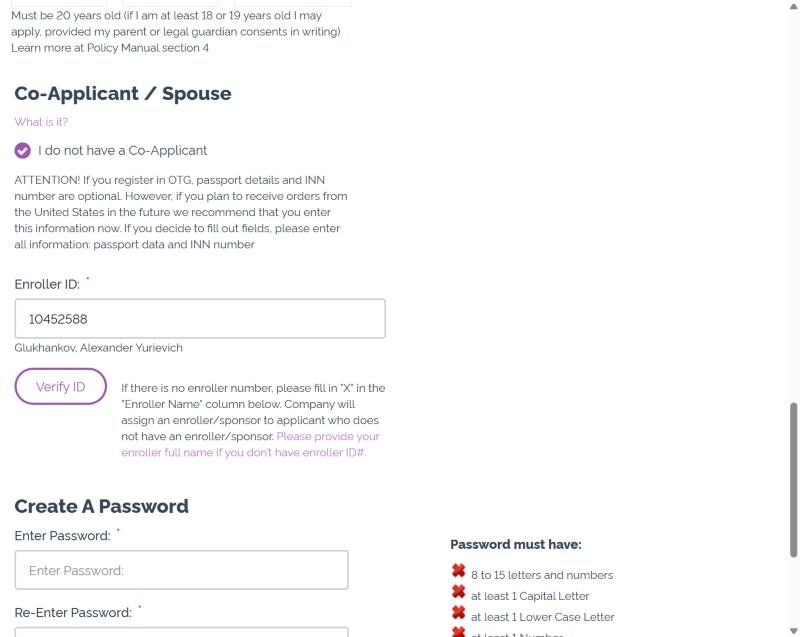
Enroller ID, password, terms
Check that the Enroller field identifies ID 10452588. Create a password using the rules on your screen, read the agreements and accept them only if you agree. No personal information or password needs to be sent to us.
Review and payment
Review the order, delivery address and full amount, then use one of the payment methods offered for your market. Keep the confirmation email and follow its instructions for accessing your account.
Before paying, check that the referral or enroller ID is 10452588. If dōTERRA requires payment to complete enrollment, wait for confirmation before signing in to your new account.
Choose a kit or your own products
The country selector opens the local shop enrollment page. Choose a kit with “Select”, or choose individual products. In Germany the regular fee is €23.75 and a first custom order from 150 PV waives it. Australia uses a different 100 PV threshold. PV is product volume, not a currency amount: use your market’s order summary.
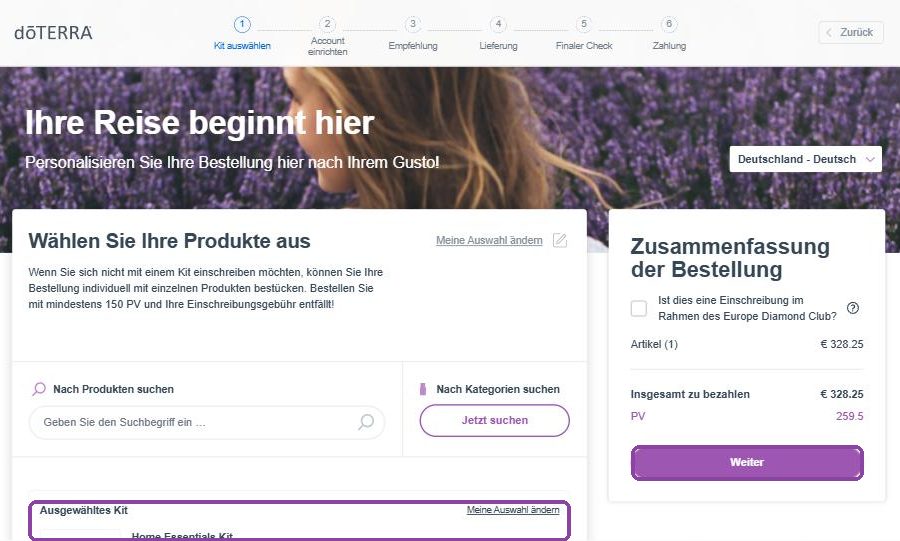
Your name and phone
First name, last name and mobile number. Nothing else on this screen is required.
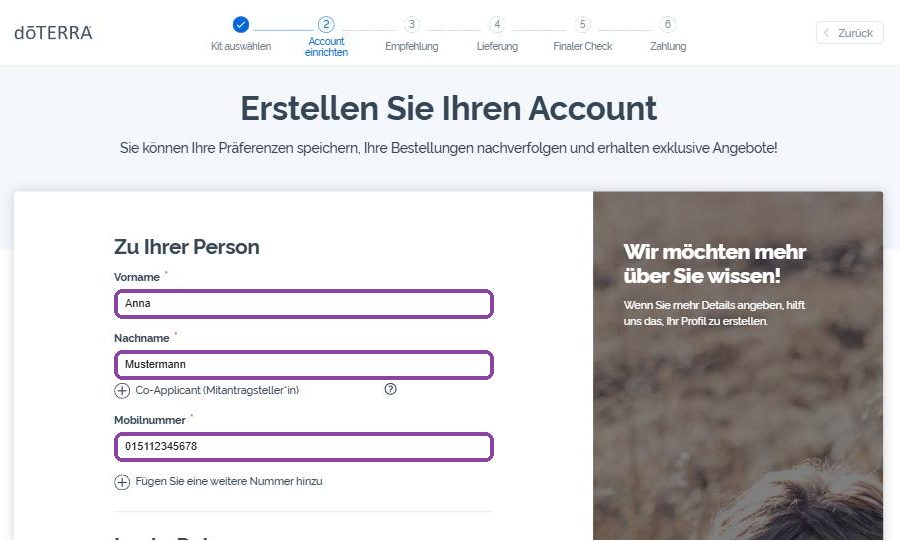
E-mail and password
Use an email address you control and create a password that meets the rules displayed by the form. The example shows Wholesale Customer, the account for personal purchasing. Do not send your password to us.
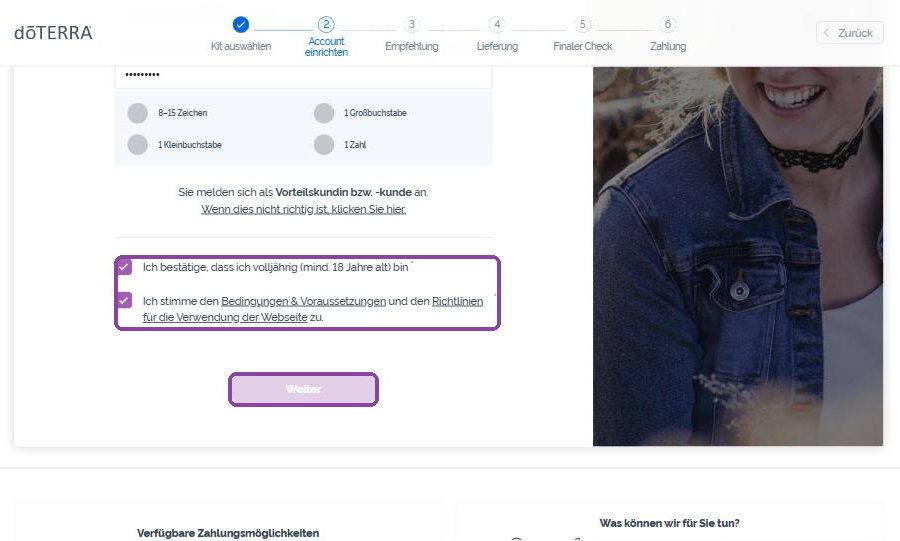
Two ticks and Next
Confirm you are over 18 and accept the terms. The “Next” button turns purple only when both boxes are ticked.
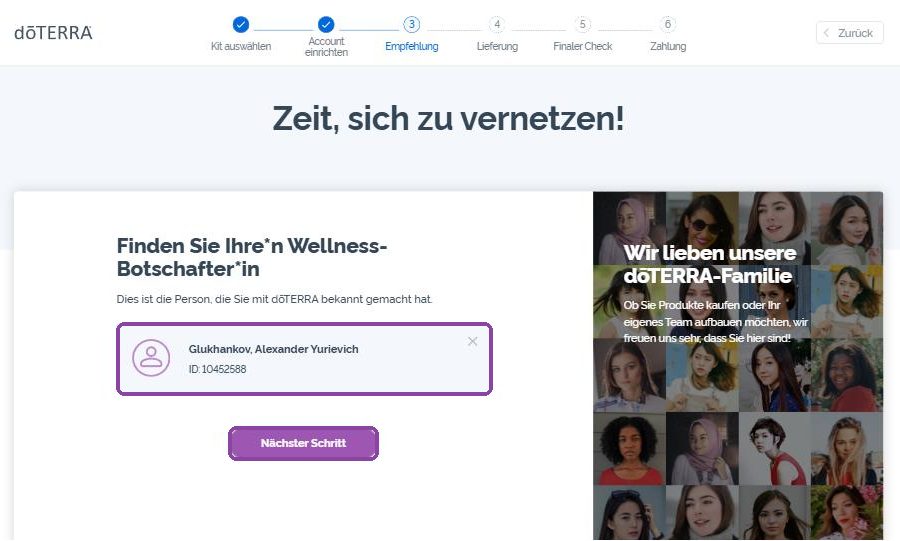
Referral: check our ID
The card shows Glukhankov, Alexander Yurievich, ID 10452588 — that is us, already filled in from the link. Leave it and click “Next step”. If the card is empty, type 10452588 into the search.
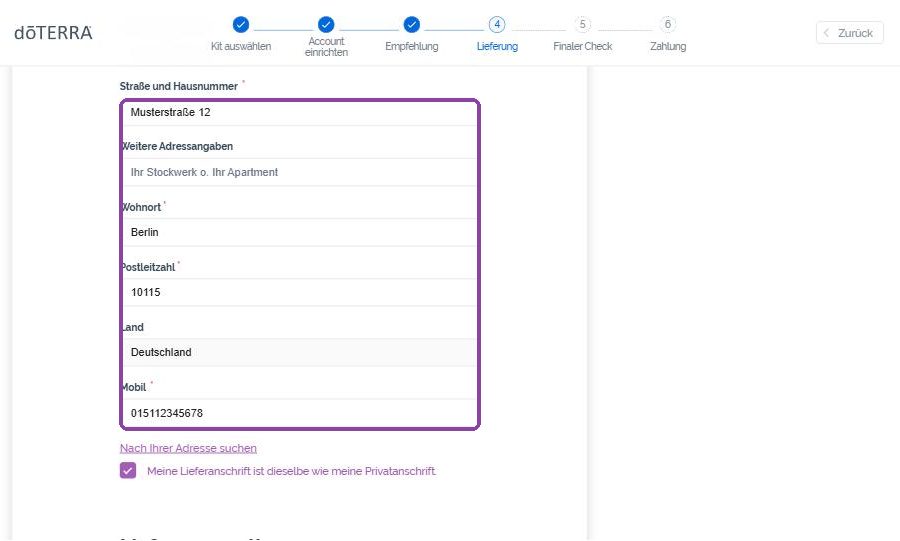
Delivery address
Type your address; if the search does not find it, click “My address was not found” and fill the fields by hand. The tick “delivery address is the same as home address” can stay.
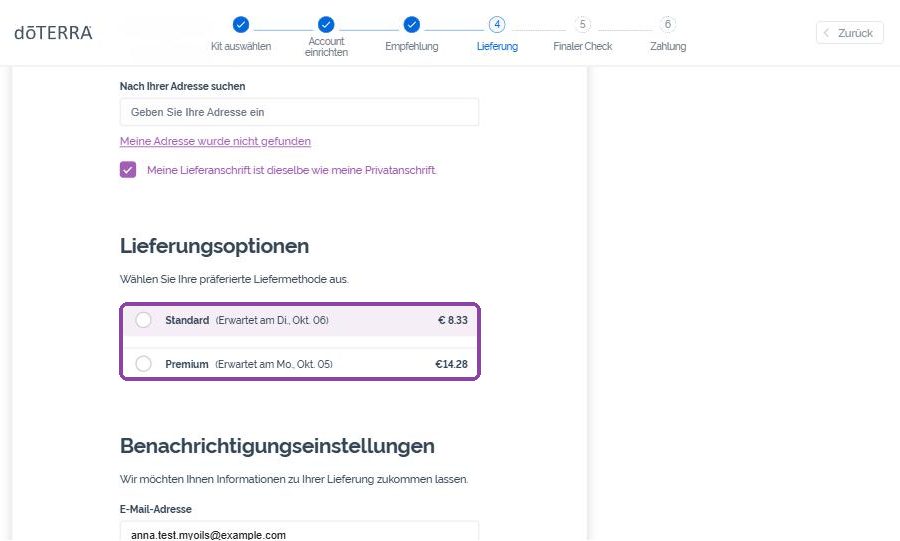
Delivery option
Select a delivery service offered for your address. Charges and delivery estimates depend on the country and order; read the local quote before continuing. The German screenshot illustrates the controls, not a universal delivery price.
Final check
Check the products, quantities, tax, shipping, address and referral details. Any promotional product must be shown in your own order summary; an older screenshot is not a promise of a free item.
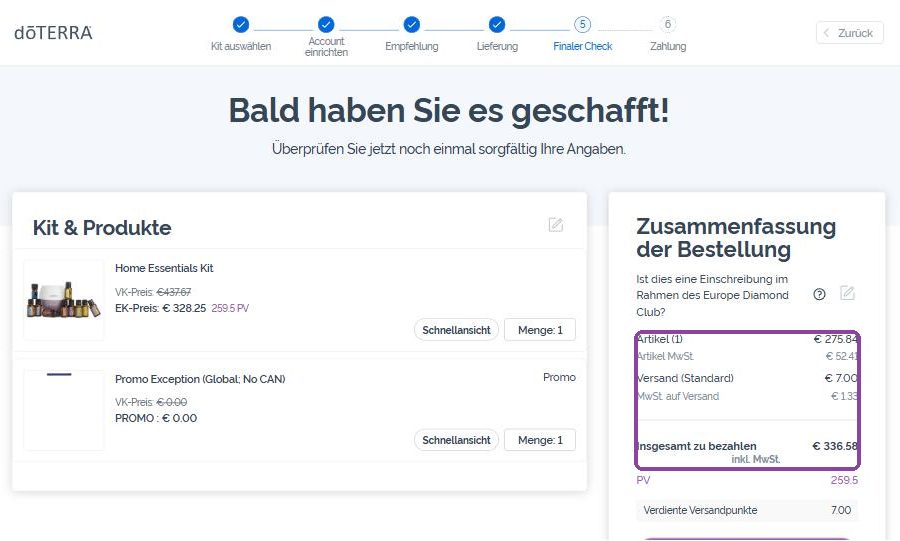
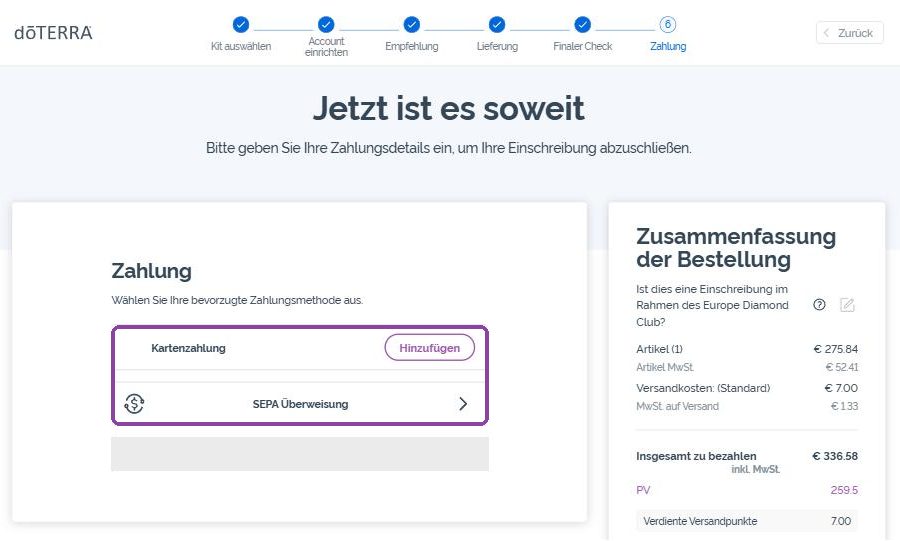
Payment
Use one of the payment methods offered for your market. The example shows a German checkout; availability of cards, transfers and wallets varies. Check the final total before confirming payment and keep the confirmation email.
Before paying, check that the referral or enroller ID is 10452588. If dōTERRA requires payment to complete enrollment, wait for confirmation before signing in to your new account.
Check eligibility and delivery first
Use Global Access only if your country is offered in the official form and you meet its conditions. Confirm the permitted products, delivery route, forwarding costs and import requirements before enrolling. A country missing from the form is not an invitation to choose another one. This route is not offered here to residents of mainland China.
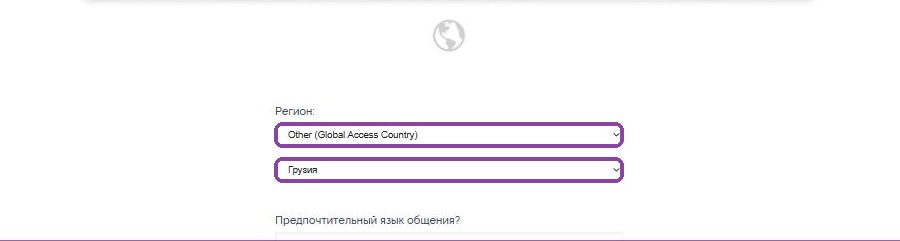
Region: Other (Global Access Country)
Open the form from our site: the region is already “Other (Global Access Country)” and our Enroller ID is in the link. Pick your own country in the second list — it is your home country, not the forwarder’s. Choose the language and click Continue.
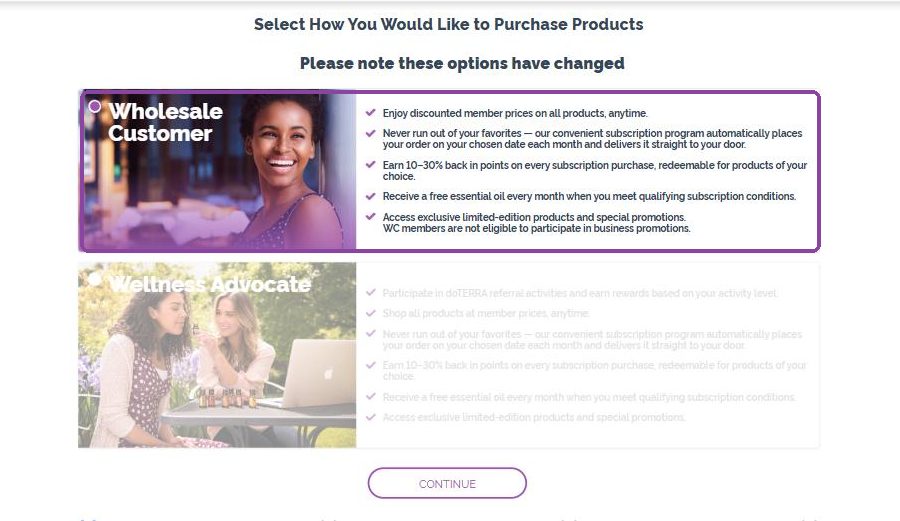
Wholesale Customer is preselected
Leave the marker on Wholesale Customer (the discount account) and click Continue.
Pick a kit or your own products
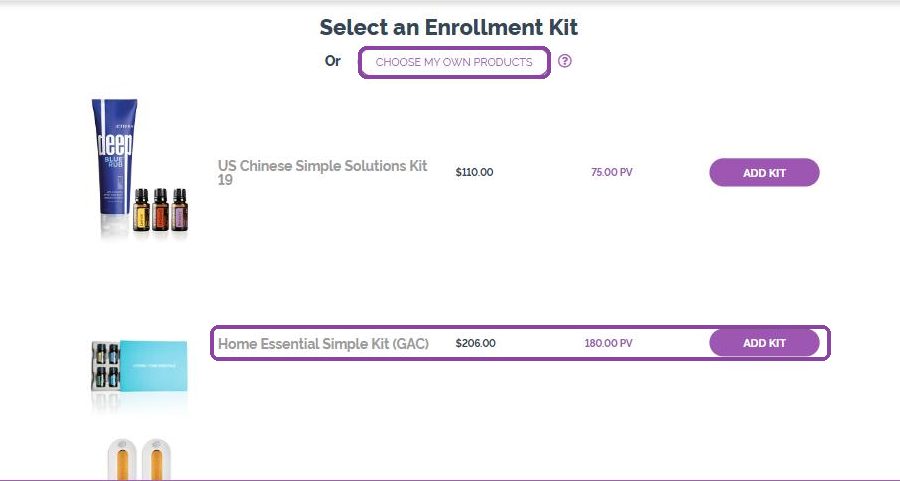
Prices are in US dollars, from the US price list; there are special GAC kits such as Home Essential Simple Kit ($206). Or click “Choose my own products” and add anything you like. Keep the parcel compact — the forwarder charges by weight.
About you: two addresses
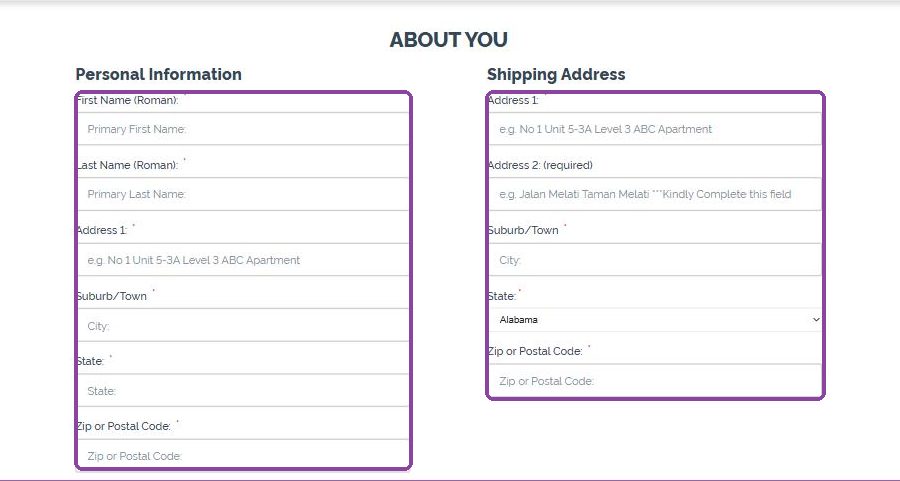
Left column, Personal Information: your real name in Latin letters, your home address and your country. Right column, Shipping Address: the forwarder’s US address — street in Address 1, your suite/unit number in Address 2 (required), city, state from the list and ZIP. Phone: your own number with country code; e-mail and birth date.
Enroller ID, password, terms
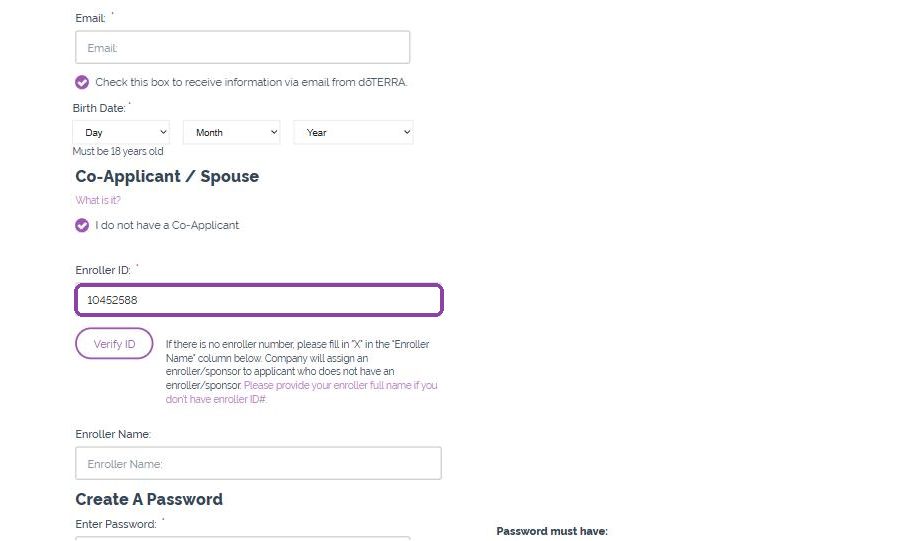
Enroller ID 10452588 is already filled — leave it. Create a password (8–15 characters, letters and digits, one capital), tick the terms and continue.
Payment and what happens next
Check the payment methods and full amount in the official form. Confirm any separate forwarding charge, import restrictions and duties before authorizing payment. Keep the order confirmation; delivery estimates and rewards eligibility must be checked for your own account and destination.
Before paying, check that the referral or enroller ID is 10452588. If dōTERRA requires payment to complete enrollment, wait for confirmation before signing in to your new account.
Checks before you submit
The form shows a different country.
Use the country selector on this page and reopen the official form. Check the delivery country, currency and warehouse before entering account details. Changing the language must not change your market.
The Enroller ID field is empty.
Check the referral card for Alexander Glukhankov, ID 10452588. If the Enroller field is blank, enter 10452588 and wait for the form to identify it. If a separate Sponsor field is required, ask us for help before submitting.
I do not want a monthly subscription.
You do not need one. The Loyalty Rewards Program is optional and can be turned on later from your account if you decide you like the products.